Why we built Kallydo
Kallydo team ·
Kallydo is an online whiteboard app for teaching. Teachers, tutors and students work on digital A4 paper that saves itself, so every lesson can be kept, revisited and handed out. This post is about why we made it, and why it works the way it does.
Where did Kallydo start?
With a retired maths teacher. She had taught maths in a government school, and after retiring she carried on tutoring online, with her lesson notes kept on Microsoft Whiteboard.
Then Microsoft told its users it was retiring the Whiteboard apps, and she needed somewhere else to go. What she asked for was simple: something easy to use and quick. She had stored a lot of notes, they sat on free-form boards, and opening them could take up to a minute.
We tried other tools first, including Google Jamboard and GIMP, the image editor. Each had its limitations for her lessons, and none of them was made for a teacher.
So we set out to build something useful for her, so that she could keep tutoring online.
Why pages instead of an endless canvas?
Because a lesson has a shape. It has a beginning and an end, and the worked example from last term should still be on page four where you left it.
Most whiteboard apps give you one infinite board to pan around. That suits a workshop, where everything happens on one surface at once. It suits teaching less well: a lesson built on an endless canvas is hard to find again, hard to step through in order and hard to hand out. So a Kallydo document is a stack of numbered A4 pages, and you keep documents in folders.
Why graph and isometric paper?
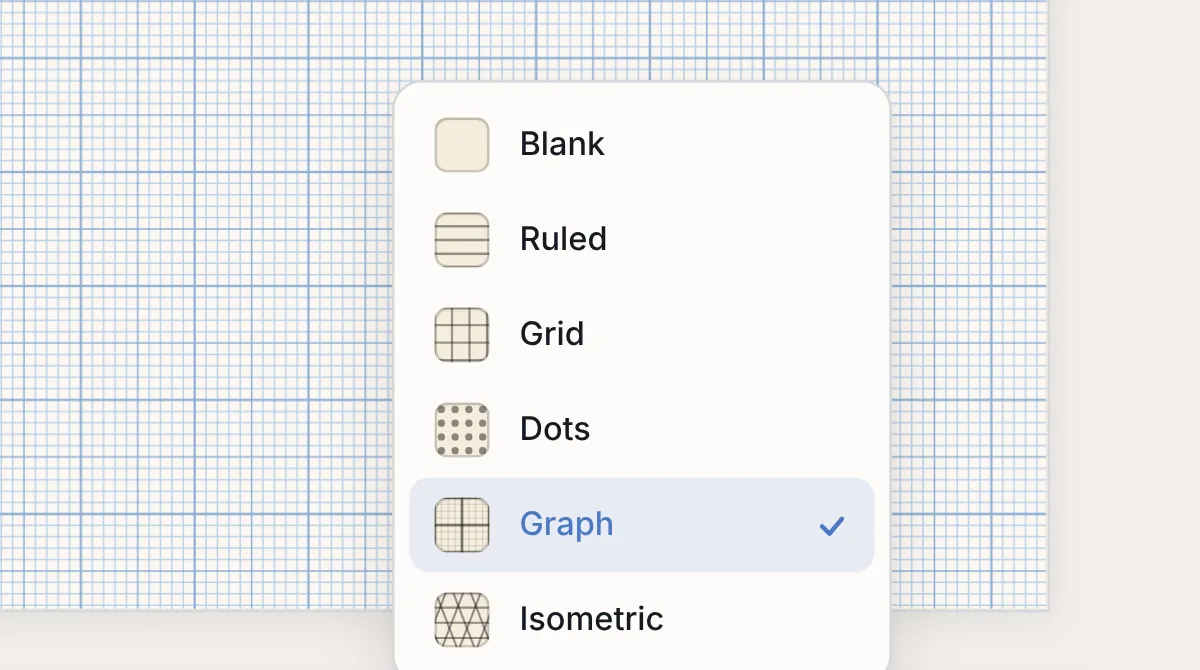
Because those are the pages a teacher would actually hand out. Squared paper is for plotting to a scale. Isometric paper is for drawing in three dimensions. Many whiteboard apps leave them out, so a maths lesson starts with drawing the grid by hand.
Kallydo has six paper types: ruled, grid, dots, graph, isometric and blank. You choose the paper page by page, so one lesson can mix a ruled page of notes with a graph page for the worked example. What each type is for is in choosing paper in Kallydo.
She asked for graph and isometric paper, because topics such as projection, where a student learns to draw a solid in three dimensions and as flat views of it, are taught on exactly that paper.
Why no save button?
Because the middle of a lesson is the wrong time to remember one. Every page saves itself to your account and syncs across your devices, so you can plan on a laptop, teach from a tablet and close the tab without losing anything.
What did we choose not to build?
A whiteboard for lessons is a smaller thing than a whiteboard for everything, and we kept it that way:
- No team to set up. Kallydo is built for one person preparing, teaching and keeping lessons. There is no workspace to create before you can draw.
- A small set of tools. Pen, highlighter and eraser, with ink that keeps up with the hand. It should feel like writing on paper, not like operating software.
- Nothing done with your pages. Kallydo does not read, sell or share your content, and does not use it to train machine-learning models. There is no advertising and no session recording.
Who is Kallydo for?
- Private tutors of any subject, and especially maths and science, teaching one-to-one, online or in person.
- Classroom teachers who plan on a laptop and teach from a tablet.
- Educators who build worked examples and hand them out as PNG or PDF.
- University students and adult learners working through problems and revising.
If you are moving from Microsoft Whiteboard, which retires its standalone apps on 16 October 2026, we wrote up what changes and how to save your boards.
Try it, and tell us what you think
The Kallydo demo board is a working whiteboard that runs in your browser, with no account and no sign-up. If something gets in the way of your teaching, write to us at hello@kallydo.com. The people who build Kallydo read every message and reply within one business day.